01 CAPTURE THE MOMENT
locus Card
Capture.A dedicated recorder for the conversations that matter. Hold to record. Press to mark a moment. Stay present.
Meet your everyday companion ↗ Meet locus
 PERSONAL INTELLIGENCE. YOUR OWN.
Be in the conversation. Keep what matters.
A private AI recording ecosystem, built around
your devices and your working life.
On your devices. Under your control.
A smaller pilot.
A clearer next step.
Start with one team, learn from the first pilot, and use that feedback to shape the next phase.
Focus the pilot on one workflow.
Review progress together next week.
☐ Send the revised scope by Friday.

TUESDAY, SEPTEMBER 22
Start small. Learn together.
Build on what works.
A PLACE FOR EVERY PART OF YOUR DAY
From the first word to the next good idea.
Meet the tools that keep it all together.
A dedicated recorder for the conversations that matter. Hold to record. Press to mark a moment. Stay present.
Meet your everyday companion ↗Record, listen and revisit your notes. A familiar place for your working memory, on iPhone and Mac.
See what comes after the meeting ↗A smaller pilot.
A clearer next step.
Start with one team, learn from the first pilot, and use that feedback to shape the next phase.
Focus the pilot on one workflow.
Review progress together next week.
☐ Send the revised scope by Friday.
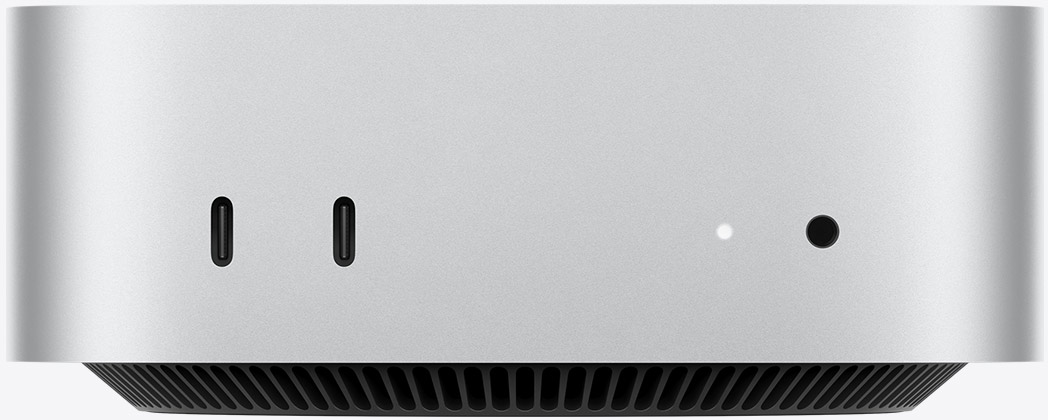
Your local Locus server, running on macOS only. Base turns recordings into transcripts and useful notes on your Mac, ready to revisit in the App.
Meet the intelligence behind it ↗Card captures. App connects. Base processes on your Mac.
LOCUS BASE / SERVER FOR macOS
Install Locus Base on your Mac to run your personal server. Base processes recordings locally and prepares transcripts and notes for the Locus App. Available for macOS only.
Base runs on your Mac. You stay in control.A smaller pilot.
A clearer next step.
Start with one team, learn from the first pilot, and use that feedback to shape the next phase.
Focus the pilot on one workflow.
Review progress together next week.
☐ Send the revised scope by Friday.
Mac mini image: Apple ↗ · Locus Mac UI concept
FROM CONVERSATION TO CLARITY
One conversation. A useful record.
All within a space you control.
Record with the Card or the app. A quick press on the Card marks a moment to come back to.
Local AI requires model downloads and setup on your Mac, plus pairing for transfers from iPhone.
MADE TO BE YOURS
The ideas, decisions and details of your working life belong on devices you control. That belief shapes locus from the very first recording.
Transcripts and notes are prepared on your Mac with installed models. Core processing stays on your own devices.
Sharing and external AI services are deliberate choices. Your local workflow is the starting point.
The Card is a hardware purchase. The apps and local core are free; optional remote access is priced separately.
A FEW GOOD QUESTIONS
No. The iPhone and Mac apps can record on their own. Card adds a dedicated recording button so you can give the conversation your attention.
Locus Base runs core transcription and note processing on your Mac after you download and set up the models. Your iPhone records and plays back audio; it does not run the core AI workflow described here.
Locus Base is the server software that runs on your Mac. It handles local transcription and note processing for the Locus App. Base is available for macOS only.
You need internet access for initial model downloads. Once set up, core AI processing runs locally. Devices need to be connected for transfers; optional external AI and remote services need connectivity.
This page introduces the product ecosystem. Purchase links, app downloads, final pricing and compatibility details are not available on this preview.
A PLACE OF YOUR OWN
Explore a more personal way to record, remember and think.
Explore Card, App & Base