
COMPARE · PLAUD
A Plaud alternative
that stays on your devices.
Plaud makes dedicated recorders and processes recordings in its cloud. Locus records on the Apple Watch, iPhone or Mac you already have and runs the AI on your Mac. Here is the comparison, from each company’s own pages.
01
The short version.
Where the AI runsPlaud: its cloud, by region. Locus: your Mac.
What recordsPlaud: a dedicated recorder you carry. Locus: the Apple Watch, iPhone or Mac you already have.
PricePlaud: device plus an individual plan from free to $29.99 a month (20 Oct 2026); Team is priced per user. Locus: Locus (free), or Locus+ at $9/month or $99/year with a 14-day free trial. Available at launch. No payment now.
02
Plaud and Locus, side by side.
From each company’s own pages, read on 20 October 2026. Numbers refer to the sources below.
| Topic | Plaud | Locus |
|---|---|---|
| How it records | Dedicated recorders: Note, Note Pro and NotePin. Audio comes from the Plaud device, not the phone’s microphone. The Note can record phone calls through a vibration sensor; the NotePin cannot.6 | The Apple Watch, iPhone or Mac you already own. No extra device. |
| Online meetings | Plaud Desktop (beta) captures computer audio from Zoom, Teams, Meet and others without a bot.7 | No bot. On the Mac, Include Mac audio records the other sides of the call alongside your microphone: whatever the Mac plays from Zoom, Teams, Meet or any call app. macOS asks your permission first. |
| Where transcription and summaries run | Plaud’s cloud, on AWS in the US, Germany, Japan or Singapore by region.2,3 Audio is deleted from the server after processing unless Private Cloud Sync is on.5 | On your Mac, with local AI, after a one-time model download. No cloud AI required. |
| AI providers | The help center names OpenAI, Google and Microsoft; the trust page names GPT, Claude and Gemini.2,4 The two pages differ. | Local models on your Mac. An external AI service only if you choose one. |
| Training on your recordings | Not without your explicit consent in advance; opt-in only.3,4 | Recordings and notes stay on your devices in the local workflow. |
| Retention | Kept until you delete them or cancel the account; Trash keeps files until you delete them for good.10 | Files in a folder you choose on your Mac. |
| Offline | Recording works offline; internet is needed to sync and to transcribe.8 | Recording and playback work offline. Transcription works offline after the model download. |
| Devices and apps | Plaud devices with iOS and Android apps, Plaud Web, and Plaud Desktop for Windows and macOS.6,7 | Apple Watch, iPhone or Mac records; a Mac with Apple silicon M3 or later, 24 GB of memory and macOS 26 or later runs the AI. |
| Price | Starter: free with the device, 300 minutes a month. Pro: $17.99 a month, or $8.33 a month billed annually, 1,200 minutes. Unlimited: $29.99 a month, or $20.00 billed annually. Unused minutes do not carry over.1 | Locus (free), or Locus+ at $9/month or $99/year (Apple subscription, 14-day free trial). No minute limits. Available at launch. No payment now. |
| Compliance claims | States ISO 27001, ISO 27701, SOC 2 Type II, GDPR and HIPAA; a BAA is available on request.9 | No HIPAA claim today. |
| Recording consent | Your responsibility, per Plaud’s privacy policy.3 | Your responsibility. Ask the room first. |
03
When Plaud is the better fit.
An honest comparison says where the other product wins.
- You want a dedicated recorder with its own battery and storage, separate from your phone and Watch.
- You record phone calls often: the Plaud Note picks up calls through its vibration sensor.
- You use Windows or Android, or you do not have a Mac that meets Locus’s requirements.
- You need a HIPAA statement and a BAA now. Plaud states both; Locus makes no HIPAA claim today.
- You need it today. Locus is coming soon.
04
When Locus is the better fit.
- You want the AI on your own Mac, with no cloud AI required for transcripts and summaries.
- You already wear an Apple Watch and would rather not carry another device.
- You want your notes as files in a folder you choose, ready for Obsidian or anything else.
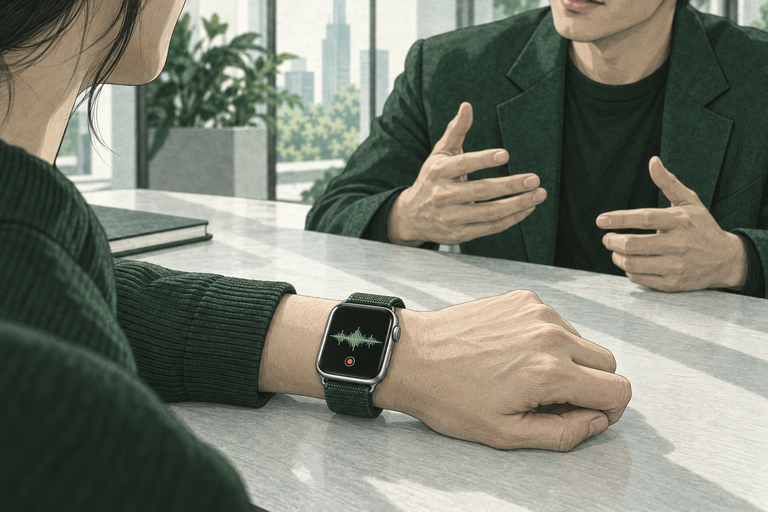
- You mostly meet in the room and would rather record on the Watch you already wear.

 Compare
 Product
 Guide