
PRIVACY · GUIDE
AI note taker
privacy concerns.
An AI note taker hears everything said in a meeting and keeps a copy. Before you let one in, answer five questions: where the audio goes, who can read it, whether it trains someone’s model, how long it is kept, and whether everyone agreed.

Where the meeting goes.
A bot and a local recorder send the same meeting down very different paths.
A meeting bot
Joins the call as a guest and uploads the audio.
Who may be able to read the meeting, depending on the tool and its settings: the vendor, its AI providers, your admin, and anyone with a shared link. Copies live on servers you do not control, under the vendor’s retention rules. The table below shows what six tools state, including two that do not use a bot.
A local recorder (Locus)
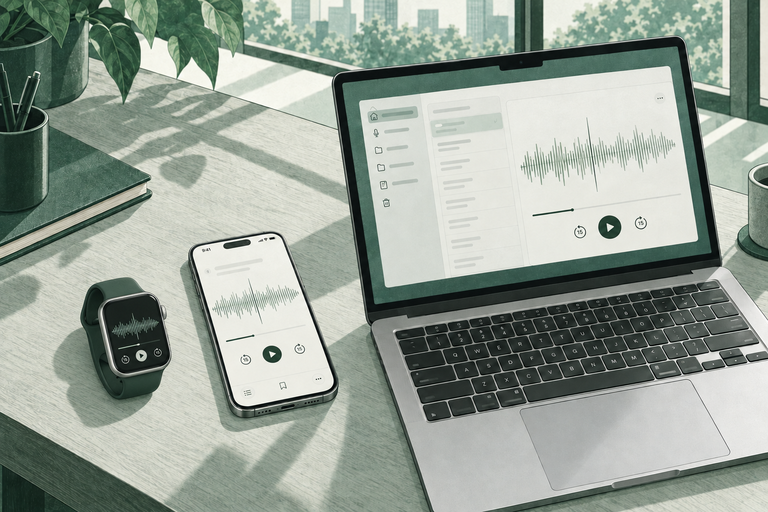
Your Watch, iPhone or Mac records; your Mac does the AI.
Who can read the meeting: you, and anyone you choose to share a recording or note with. No cloud AI required; sharing or an external AI service is a separate choice.
Five questions to ask any AI note taker.
- Where does the audio go? A bot that joins the call uploads the audio to the vendor’s servers. A recorder that works on your device may keep it there. Find the sentence in the privacy policy that names the storage location and the subprocessors.
- Who can read the transcript? The vendor’s staff, their AI providers, your workspace admin, or anyone with a shared link. Look for access and sharing defaults, not only encryption claims.
- Is your meeting used for training? Policies say “not used to train”, “used unless you opt out”, or nothing. Nothing means ask.
- How long is it kept, and can you delete it? Default retention, admin retention settings, and whether deletion covers backups and the AI provider’s copy.
- Did everyone agree? Recording consent rules vary by place. Some require every participant’s consent. The tool does not carry that responsibility; you do.
What six AI note takers state in their own policies.
Facts below come from each vendor’s own privacy policy, security page or help centre, read on 20 October 2026. Each row links to the main pages used; the full source list, with quotes and dates, is in our research record. Policies change; check the links before you decide.
| Product | How it records | Where the audio goes | Trains on your meetings? | Retention and deletion | Compliance claims and consent | Sources |
|---|---|---|---|---|---|---|
| Fireflies.ai | A bot joins Zoom, Meet and Teams as a visible participant. A mobile app records in-person meetings. | Vendor servers in the United States; Enterprise can choose a storage location. Help pages name OpenAI and Anthropic as AI vendors with zero data retention. | Not used to train models, per the privacy policy and terms. The security page says “by default”. | No default period stated. Delete manually or set auto-delete after a chosen period. Account data deleted within 30 days of closure. | SOC 2 Type II, GDPR and HIPAA claimed; a BAA is available per the help centre. Consent is the user’s responsibility. | Privacy policy ↗ Security ↗ Help: how it joins ↗ Help: keeping information safe ↗ Help: responsible notetaking ↗ |
| Otter.ai | Otter Notetaker joins Zoom, Meet and Teams as a participant and posts a chat notice. Cloud service. | AWS in the United States. The subprocessor list names Anthropic, OpenAI and Google Cloud. | Otter trains its own models on de-identified recordings, per the privacy policy. An account setting, “Help improve Otter”, lets you allow or refuse access to your conversations for training and product improvement, per the help centre. | No fixed default. Deleted conversations stay in Trash for 30 days. Enterprise admins can set a retention policy. | SOC 2 Type 2 report; GDPR and CCPA standards; HIPAA announced July 2025, with a BAA on the Enterprise tier per a vendor blog. Consent is the user’s responsibility. | Privacy policy ↗ Privacy and security ↗ Subprocessors ↗ Help: feedback and training ↗ Blog: HIPAA ↗ |
| Fathom | Fathom AI Notetaker joins the call as a visible participant when you are on it. A bot-free capture mode exists on Mac. | Stored in the United States; cloud provider not named. AI subprocessors named: Anthropic, OpenAI, Google. | De-identified meeting content is used to improve Fathom’s models by default; opt out in settings, or org-wide on Team plans. | No default period stated. Recordings deleted within 30 days of an account deletion request. Auto-delete policies are Enterprise only. | SOC 2 Type II, HIPAA and GDPR claimed; BAA available. The recording owner is responsible for consent. | Privacy policy ↗ Help: security and privacy ↗ DPA ↗ Help: bot-free capture ↗ Help: HIPAA and BAA ↗ |
| Zoom AI Companion (Zoom AI features in Zoom Workplace) | Built into the Zoom client and started by the host. No separate bot. Participants see an in-meeting icon. | Processed and stored by hosted data-centre region. Model options include Zoom-hosted models, Anthropic via Amazon Bedrock, and third-party models (OpenAI, Google). Zero data retention with third parties is claimed. | Not used to train Zoom or third-party models, per the privacy statement and terms. | Follows the retention of the related service. Admins can auto-delete summaries after a set number of days and set transcript retention to zero. | ISO 27001 and related certificates; within SOC 2 scope. BAAs on paid plans, with AI features available under a BAA. The host is responsible for recording law compliance. | Privacy statement ↗ AI whitepaper: data governance ↗ Subprocessors ↗ AI whitepaper: security framework ↗ |
| Pocket (Open Vision Engineering) | A hardware recorder. Audio is stored on the device and synced to the vendor cloud only if you choose. No bot joins meetings. | On the device or on US-based vendor servers; transcription and summaries run on US cloud infrastructure. AI vendors are not named. | Trust page: not used to train models. Privacy policy: not without your consent. | No default period stated. Account deletion removes data from active systems; backups are purged on scheduled cycles. | Trust page shows SOC 2, HIPAA and GDPR badges and offers a BAA for teams; the policies themselves claim no certifications. Consent is the user’s responsibility. | Trust page ↗ Privacy policy ↗ Terms ↗ Comparison page ↗ |
| Summary AI (Labhouse) | Record in the phone app, or a calendar-connected bot joins Zoom, Meet and Teams. Cloud-based. | Google Cloud in the United States. Named providers: Gemini and OpenAI for summaries; Soniox, Replicate and others for transcription; Recall for meeting recording. | Not stated. No training clause and no opt-out in the privacy policy. | No period stated. In-app account deletion erases recordings and transcripts immediately. A trash folder holds deletions for an unspecified time. | GDPR, ISO and CCPA claimed on the homepage; SOC 2, HIPAA and BAA not stated. Consent is the user’s responsibility. | Privacy policy ↗ Terms ↗ Homepage ↗ Help: delete your account ↗ |
All six place recording-notice and consent responsibility on the user. All six process audio in a vendor cloud; Pocket keeps it on the device until you sync. “Not stated” means the vendor page checked does not say. Where two vendor pages disagree, both are noted. Read on 20 October 2026; vendors change these pages.
Consent and confidentiality.
Three things come up in every legal discussion of AI note takers. First, recording consent: some places require the consent of everyone recorded, others of one party. Second, confidentiality: a transcript held by a third party may weaken a confidentiality or privilege claim, which is why law firms write about it. See AI note taker for lawyers. Third, notice: a bot’s name in the participant list is not the same as asking. Tell people before you record, say where the recording goes, and stop if anyone objects. This guide is not legal advice; ask your counsel about your place and your industry.
A bot’s name in the participant list is not the same as asking.
The local option.
The questions get shorter when the audio never leaves your own devices. Locus records on your Mac, Apple Watch or iPhone and writes the transcript and notes on your Mac with local AI. No bot joins the call, no cloud AI is required, and the files sit in a folder you can open. Sharing a note or choosing an external AI service stays a separate choice you make. Read how local meeting transcription on Mac works and what local really means. Consent still applies: ask the room first.
 For lawyers
 Product
 For therapists