

LocusJoin the waitlist

APPLE WATCH → OBSIDIAN

Record on your wrist.
Read in Obsidian.

Turn conversations into meeting notes.
Locus runs the AI on your Mac.
Your notes are saved as Markdown files.

See how it works

Your devices. Your notes. Local AI.

An illustrated conversation at a sunlit table, with Apple Watch on the speaker’s wrist.
Be here. Keep the conversation.YOUR VOICE IS YOURS.
01 Apple Watch Record02 iPhone Transfer03 Your Mac Local AI04 Obsidian Your files

A conversation.
A note you can keep.

Apple Watch captures the words.
Your Mac makes sense of them.
Obsidian is where you keep them.

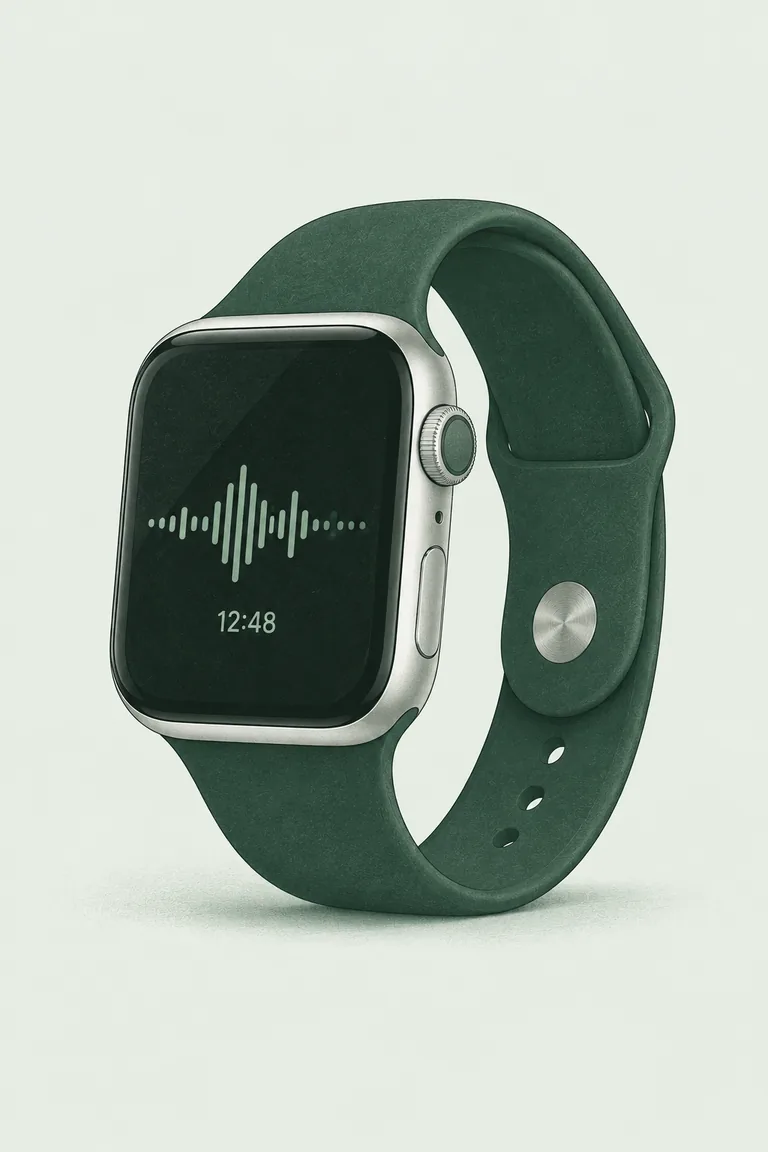
Detailed illustration of Apple Watch with a green band and an audio waveform.
APPLE WATCH / CONCEPT ILLUSTRATION
  1. 01

    Record on Apple Watch.

    Open Locus. Tap the microphone to start. Finish when you’re done. Your Watch sends the recording to your paired iPhone.

  2. 02

    Let your Mac make the notes.

    Your iPhone transfers the recording to Locus on your Mac. Local AI creates a transcript, a summary and next steps.

  3. 03

    Open the folder in Obsidian.

    In Obsidian, choose Open folder as vault and select your Locus library folder. Your meeting notes are already Markdown files. For meetings you did not record, use the free Obsidian meeting notes template.

    See an example note

You’ll need Apple Watch, its paired iPhone, and a Mac for local AI. Let everyone know before you record.

Your meeting.
In your own words.
In your own files.

A clear summary. The decisions you made. What to do next. Saved on your Mac, ready to read in Obsidian.

  • Open the same files in both apps.
  • Keep notes in a local folder you control.
  • Read them without Locus.

No Obsidian plugin needed.

Obsidian Locus library
Website planning

MEETING NOTE OCT 19, 2026

Website planning

Recorded on Apple Watch · 24 min

Summary

We’ll keep the launch small and focus on one clear story: record on Apple Watch, get notes in Obsidian.

Decisions

  • Show the full path from Watch to notes.
  • Keep the page simple and the notes local.

Next steps

Alex — prepare the first page draft.

Jamie — review the wording on Friday.

MarkdownSaved on your Mac
ILLUSTRATIVE NOTE · SIMPLIFIED OBSIDIAN VIEW

From your wrist
to your Mac.
AI runs locally.

Your Mac runs transcription and note generation. Locus saves your notes as Markdown files.

Processing, transfer and storage.

Remote access is enabled by default. Transfers between your iPhone and Mac can use a direct connection or a relay. If you use iCloud Drive, Obsidian Sync or another sync service, that service can sync copies of your files.

Internet is needed to download the apps and AI models.

An illustrated Mac, iPhone and Apple Watch together on a quiet green desk.
ONE WORKSPACE. YOUR DEVICES.

A FEW GOOD QUESTIONS

Before you start.

Do I need an iPhone and a Mac?

Yes. Your paired iPhone receives the Watch recording and transfers it to your Mac. The Mac runs the AI that creates your transcript and notes. The current preview requires Apple Silicon M3 or later, at least 24 GB of memory, and macOS 27 or later.

Does Apple Watch send notes straight to Obsidian?

The recording goes through your iPhone to Locus on your Mac. Locus saves the notes as Markdown. Obsidian opens those same local files.

Do I need an Obsidian plugin or subscription?

No plugin or Obsidian Sync subscription is needed for this local workflow. Open your Locus library with Obsidian’s “Open folder as vault” option.

Can I record away from my Mac?

Yes. Record on your Watch while you’re out. Your paired iPhone transfers the recording to your Mac when a connection is available. Transfer can use a direct connection or a relay.

Can I use my existing Obsidian vault?

You can open the Locus library as a separate vault, or copy the Markdown notes into an existing vault. Check your cloud-folder and Obsidian Sync settings to understand whether those files are also synced.

LOCUS / COMING SOON

Less typing.
More being there.

Get an update when Locus is ready.

By joining, you agree to receive Locus launch updates. Unsubscribe anytime. Email privacy.

Optional website analytics is off. Allow Google Analytics cookies to help us understand visits? Privacy details.